The Underrated Line Behind A Clear Call To Action
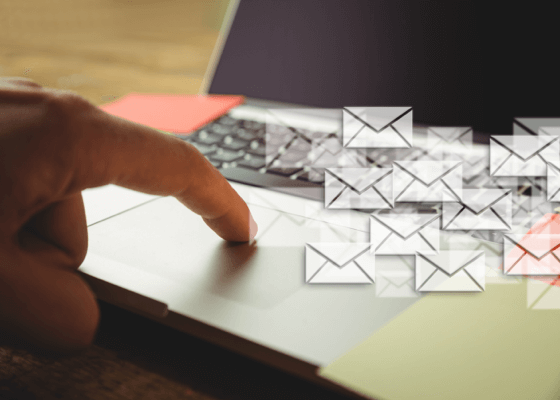
Watch yourself open the next ten emails that land in your inbox. I’d guess you don’t read most of them top to bottom. You glance at the first line, decide if it’s worth a proper look, then your eye drops straight to the bottom to see how it ends.
I’ve caught myself doing exactly that most days, without noticing. It’s not idleness. It’s just how a busy person decides whether something deserves five more minutes of their day.
If you’re building an online business from a standing start, the way people skim through what you send them matters enormously. It’s one of the most important things you’ll ever write. The last line of your email, including your call to action, might be the only part a good proportion of your list reads properly.
That’s not a reason to panic. It’s useful information, once you know what to do with it.
Why Your Eye Jumps To The Bottom First
A reader decides in seconds whether a message deserves their time. They can’t judge that from the first line alone, so they skim, and the skim usually ends at the bottom.
That’s a strange place for the most important line of your email to end up by accident. Most people treat the final line as a goodbye. A reader treats it as the deciding vote.
Think about the shape of your own inbox on a Tuesday morning. Ten unread messages, five spare minutes before a call. You won’t read all ten properly. You’ll scan each one looking for a reason to stay.
The last line you write is the one most people read first.
That’s the whole problem in one sentence, and it’s worth sitting with before you write your next email.
What A Clear Call To Action Needs To Do
A good closing line does two things, and together they make up a real call to action. It restates the one benefit your reader cares about, and it tells them exactly what to do next.
Not three benefits. Not a second offer squeezed in because you thought of it while writing. One benefit, one action, said plainly.
Say you’d spent the morning writing about keeping a clean, structured list of people who actually want to hear from you. A weak closing line reads: “Thanks for reading, speak soon.” A clear one reads: “If you’d like the simple way I keep my own list organised, follow the link below.”
Notice the difference. The second version names the result and the next step. The reader doesn’t have to guess what you’re offering or why it matters to them.
The Three Ways A Good Email Wastes Its Last Line
I see the same three mistakes repeatedly, and I’ve made at least two of them myself while building my own system.
A goodbye instead of a benefit. “Talk soon” is polite. It gives a skimmer nothing to act on.
A brand new idea, dropped in at the end. If someone skipped the middle of your email, a fresh topic in the last line will only confuse them.
Pressure with no reason behind it. “Act now” means nothing unless there’s a true reason to act now. If there isn’t one, don’t invent it. Say what’s actually there, and let it be enough.
Why Asking Plainly Still Feels Uncomfortable
I’ll be honest about where I’m starting from. I don’t have customers yet. I’m still building the basic infrastructure of my business, one careful piece at a time. That’s come after spending the best part of a year getting my confidence back, following a run of local businesses telling me no.
Part of rebuilding that confidence has been learning to write a plain, specific line asking for something. It means skipping the three sentences of apology that used to come first.
That’s harder than it sounds if, like me, you were taught not to draw attention to yourself. But a reader who’s followed you this far wants to know what to do next. Leaving it vague doesn’t protect them from being sold to. It just leaves them with nothing to do.
Building This Into Your Own Emails
I run my own list through eShowcase, which handles the hosting, the sending and the filing of who’s opted in. It doesn’t write the emails for me. That part’s still entirely on me, which is exactly as it should be.
Every email I draft now gets the same question put to it before it goes out. If someone only read the last two lines, would they know what I’m offering and what to do about it? If the answer isn’t an easy yes, I rewrite it before sending.
I’ve written a little more about how I’m structuring the trust-building side of this, in other articles I have shared recently. Take a look if you want the fuller picture of where this fits.
A Five Minute Way To Check Your Own
Here’s the test I use. Finish your email as normal. Then look only at your opening line and your final line, and cover everything in between.
Show those two lines to someone who hasn’t seen the rest, and ask them what you’re offering and why they’d want it. If they can answer in one sentence, your call to action is doing its job.
If they shrug, or guess wrong, go back and rewrite the last line before you touch anything else. Everything above it only matters once the ending earns its place.
Run that test on your next three emails. You’ll start to notice the pattern fast, and it’s a habit that sticks once it’s formed.
If You Want The Fuller Set Of Guidelines
This idea of a clear, specific closing line sits inside a much bigger set of guidelines for writing anything that asks someone to take action. It runs from the opening line through to the very last one. Nick James has put together a full home study course covering exactly that, called One Letter From Retirement.
If you want to go further than a five minute test, it’s worth a look. It walks through each part of a persuasive letter in turn, so the ending is never the part you write last and think about least.
Write your next closing line this week with one benefit and one plain ask in it. Small as it sounds, it’s often the single line deciding whether anything above it gets read at all.
I hope you found this useful.
Mark
You Could Be Just One Simple Letter Away From The End Of All Your Financial Worries...
... And If You Enter Your Mailing Address Below I Can Show You Exactly How To Write It!
Privacy Policy: We value your privacy. You can unsubscribe from receiving future emails with 1 click at any time.